Plan a whole training block on one screen.
The program grid works like the spreadsheet you already use. Weeks run across the top and exercises run down the side. You write week 1, copy it across, and then change only what needs to change.
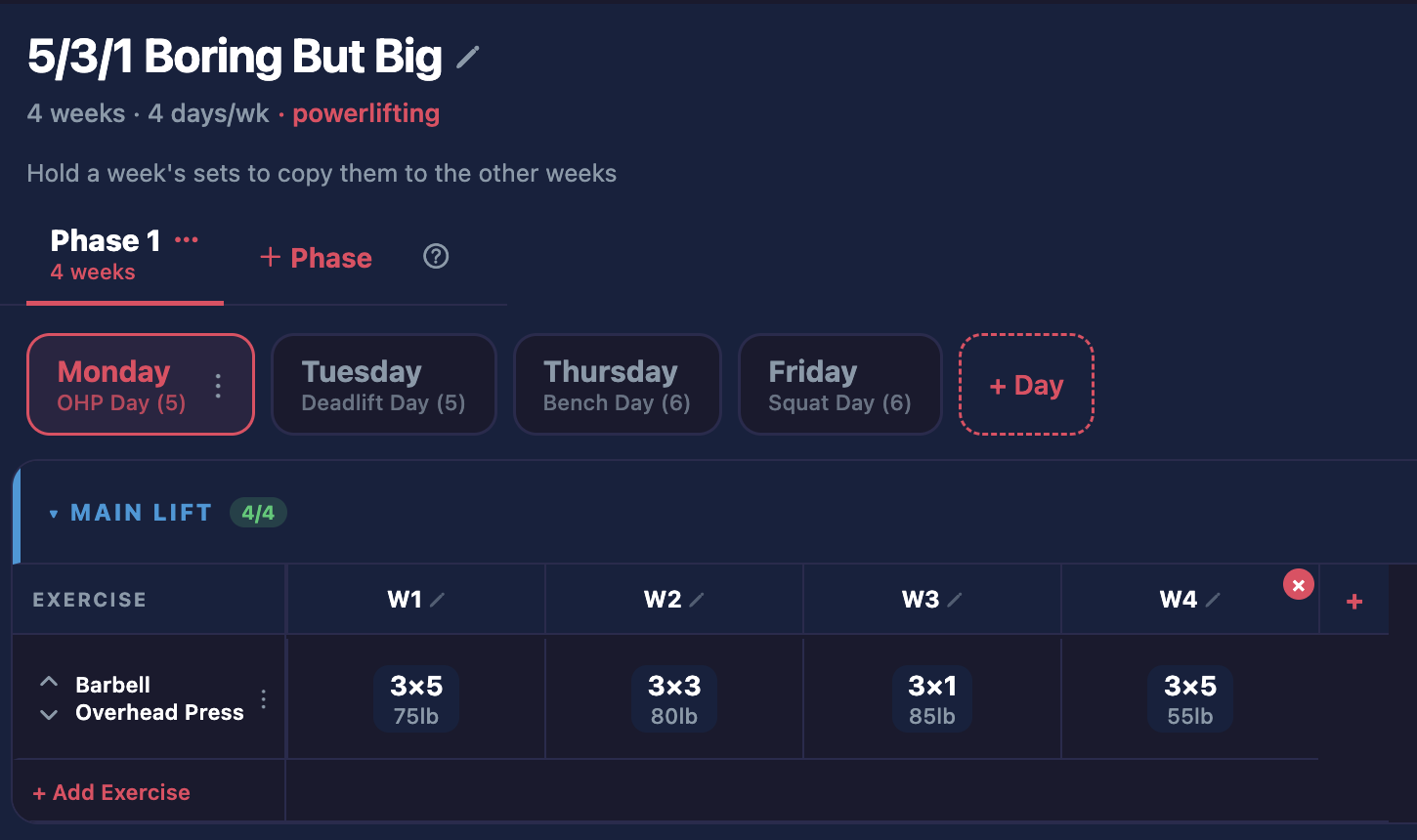
Program builder
How it works.
Lay out the block
Add your training days and exercises. Each cell holds one week of one lift.
Copy it across
Duplicate a week, or tap Save & Apply to All Weeks. Then edit only the cells that change.
Assign it
Send the program to one client or to twenty. Each client gets their own copy to train from.
Program builder
What else it does.
- Every set can have a weight, reps or a rep range, a time, RPE or RIR, and a rest time.
- Sets can be working sets, warm-ups, back-off sets or drop sets.
- You can group exercises into supersets and sections.
- You can split a program into phases, like build, peak and taper, or trimesters.
- You can save a warm-up or a whole workout and drop it into any program.
- When you edit a template, you can send the changes to the days your clients haven't trained yet.
- You can start a client partway through, for example at week 5 of 12.
- You can lock a finished program so nobody changes it by accident.
- You can skip a whole week, or turn off one day for one week only.
Write programs
Related features.
Import any programPaste a program from Google Sheets, or upload a PDF, Excel file, Word file or photo.Auto progressionSet how much to add once, and each client's weight goes up when they hit their reps.Can they load it?Only in Load ItLoad It checks every weight in a program against each client's own bar and plates.Exercise libraryChoose from 349 exercises with coaching cues, or add your own exercises and videos.Timed workoutsRun EMOMs, AMRAPs, circuits and rounds for time, with the timer built in.Printable workoutsPrint a workout with the client's own weights and the plates for each side.On the web and iPadCoach from a computer or an iPad, where you can see more at once.
Try it with a program you've already written.
Paste in a real one and see how fast it's ready to send.
Free during beta · No credit card